Azure Databricks datasets
Kanva imports approved Unity Catalog managed Delta tables into datasets. Reuse a saved connection for multiple datasets, preview the selected columns and refresh the data when needed.
Prepare a connection
Ask your Kanva administrator to approve the workspace, SQL warehouse, service principal, tables, fields and ordering key. A table must have a non-null unique key that Kanva can validate during every capture. Tables with row filters or column masks, external tables and SQL views are unavailable in this initial capability.
Use a Databricks-managed OAuth service principal assigned to the workspace. It needs warehouse CAN USE, catalog USE CATALOG, schema USE SCHEMA and SELECT on each approved table. Kanva does not need table creation, modification or job-management permissions. Use a Databricks OAuth secret with sql scope. A Microsoft Entra application secret is a different credential.
Warehouse startup, source tests, discovery, previews and captures can incur Databricks compute charges. Kanva does not change the warehouse size or auto-stop policy. A stopped or busy warehouse may take longer than the connection-test deadline; start it or wait for it to become available, then run a new test.
Save and test the source
- Open Data sources, add a source and choose Azure Databricks.
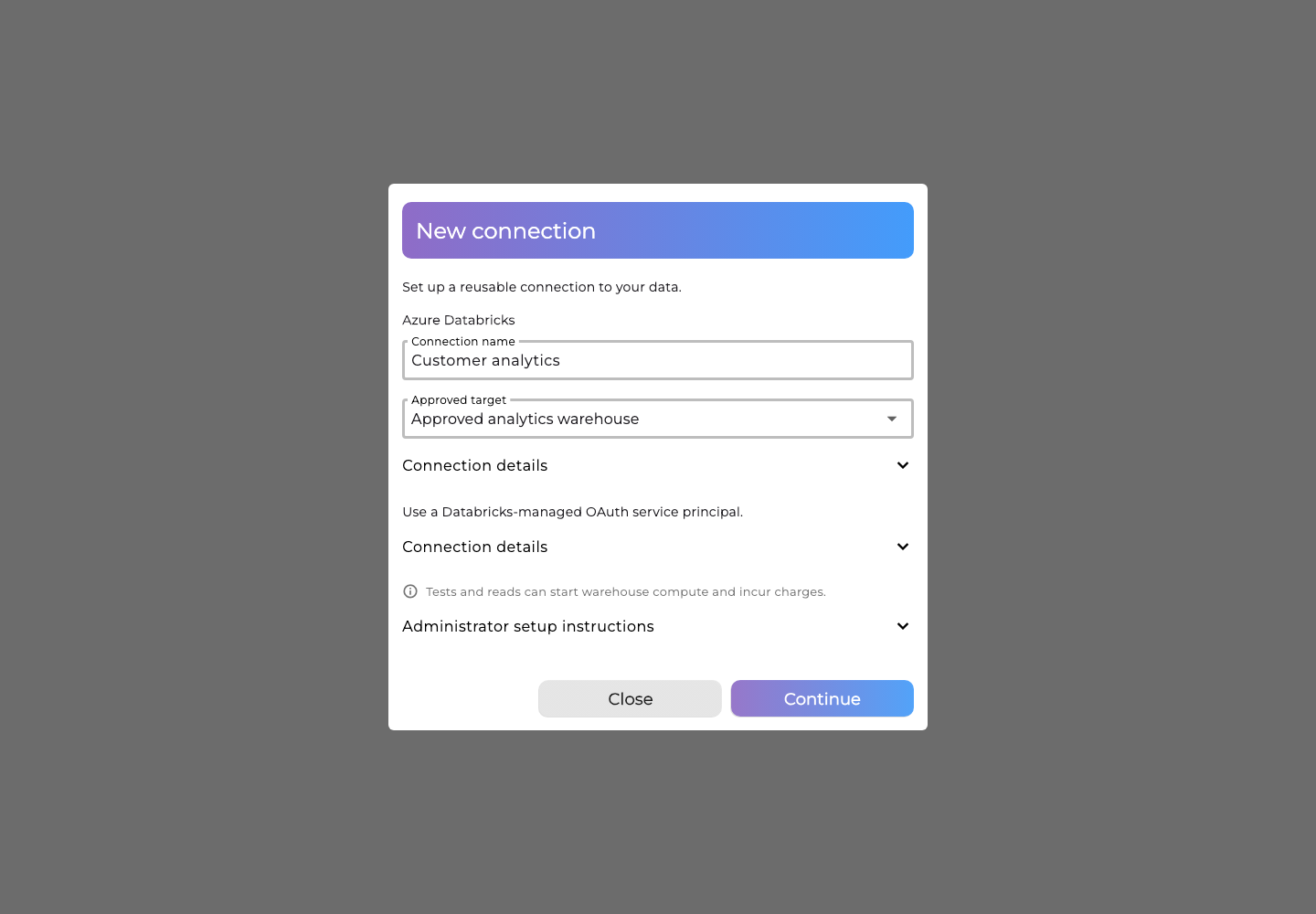
- Choose an approved target, enter a connection name and select Continue. Expand Connection details to inspect its workspace, warehouse and principal.
- Enter the OAuth secret and select Save credentials, then Test connection. After a successful test, select Use connection. Testing performs a bounded read of the approved probe table. An authorized empty table passes; a successful test does not establish access to every other table.
Secrets are write-only. Editing a connection stages a new revision; test and activate it before replacing the working revision. If no approved binding is available, your administrator must configure one first.
Import a dataset
- Add a dataset and choose Azure Databricks, then select a saved connection. If no active connection is available, create and activate one in Data sources first.
- Select Find tables in the footer and choose the approved table under Table or view. Select Choose columns when needed, then choose the columns to import. Required ordering-key fields stay selected. Decimal fields display their native precision and scale, which Kanva preserves automatically.
- Preview the selection. A preview contains at most 100 rows and has a short lifetime. Its Delta version may differ from a later capture.
- Choose Import data. Kanva reads and saves the complete selection. No separate capture approval or version selection is required.
The capture reads one resolved Delta version. Exact decimals, integers and UTC timestamps retain their canonical values. A missing version, unreadable file, changed schema, duplicate key, canceled job or incomplete read cannot replace the current dataset. A failed capture is not automatically restarted against a newer version; start a new capture explicitly.
Choose Refresh data to import the current source selection again. Existing data stays available if a refresh fails or returns no rows. An empty initial import or refresh shows No records found with Try again and Close. Successful imports show Import complete, after which you can close the dialog and use the dataset in an ordinary project.
An import in progress offers Cancel operation. If a response is lost, retry Refresh data to check the same import without reading the source again, or use Cancel operation to reconcile its outcome. Retry cancellation handles an unconfirmed cancellation. If another change conflicts with the import, choose Reload dataset, then Refresh data using the current dataset. If your access is revoked, close the stale dialog and reload; this does not confirm that an earlier save or cancellation succeeded.
Open the dataset to inspect its current imported rows. Wide tables scroll horizontally, and hovering or long-pressing a cell reveals its full value.
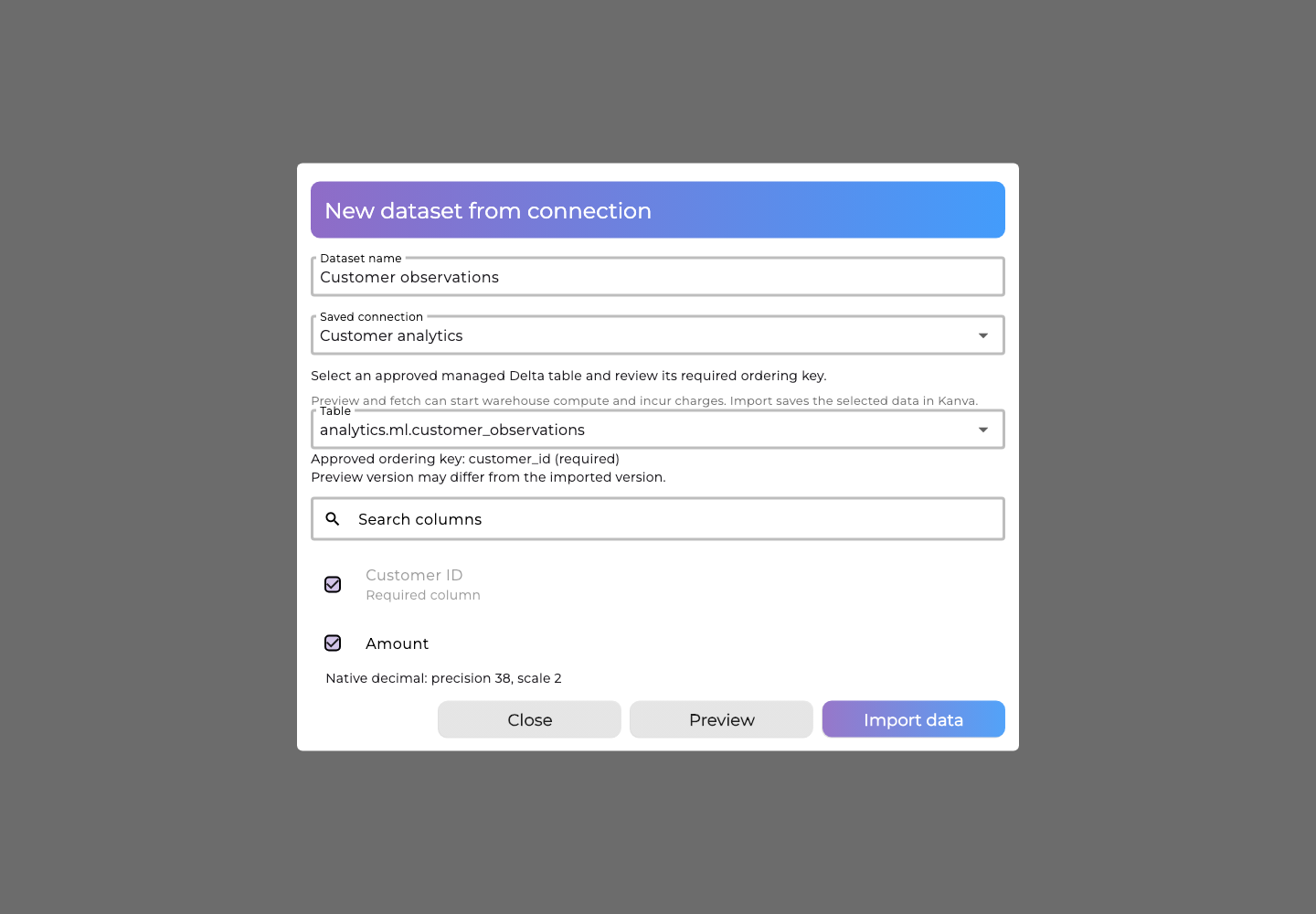
The screenshots use synthetic names in the actual Kanva dialogs.
Use with models
Ordinary project support uses the shared imported-dataset integration. Select the dataset in the existing project form and use the normal target, drivers, settings, training, results and prediction controls. There is no Databricks-specific training or preparation workflow. Current Databricks qualification covers import and refresh; complete Databricks model qualification on the shared integration remains pending.
Automation
The connection and capture workflow uses the common REST and SignalR operations. REST clients use the workspace's normal API-key scopes and pass the same revision and replay guards as the UI. Discovery and preview request resultContractVersion: 2. Import clients finalize a completed read through the protected acceptance operation; its receipts and revision checks are internal publication safeguards. An uncertain response is reconciled against the same result before retrying.
| Action | REST route | SignalR method |
|---|---|---|
| Approved bindings | GET /api/v1/connector-bindings | GetConnectorBindings |
| Test / activate | POST /api/v1/data-sources/{id}/tests, /activate | TestDataSource, ActivateDataSource |
| Discover / preview | POST /api/v1/data-sources/{id}/discoveries, /previews | DiscoverDataSource, PreviewDataSource |
| Capture / refresh | POST /api/v1/datasets/{id}/refreshes | StartDataSetRefresh |
| Read result / finish import | GET /api/v1/datasets/{id}/refreshes/{candidateId}, POST .../accept | GetDataSetRefresh, AcceptDataSetRefresh |
| Cancel an operation | POST /api/v1/connector-operations/{id}/cancel | CancelDataSourceOperation |
| Discard a completed pending import | POST /api/v1/datasets/{id}/refreshes/{candidateId}/reject | RejectDataSetRefresh |
Canceling an ongoing read fences publication. Inspect the returned stage: if the read has already reached awaitingReview, discard its candidate through RejectDataSetRefresh; retain data that has already been saved. If cancellation cannot be confirmed, retry cancellation before starting another import. Kanva waits for the assigned reader process to stop before releasing its execution reservation. A local stop receipt does not claim that all remote Databricks compute has already stopped.